Android System Usage Guide
To use the full functionality of the app, the following activation guide has been prepared. Please follow the relevant steps based on your Android version and device permission configuration.
Activation
Tip
Android versions below 10 do not require activation and can use the full functionality of the app. You may skip this section.
Can I skip activation?
Yes. You can still use the app without activation, but it will not record clipboard changes automatically. You can still receive synced data from other devices.
Starting from Android 10, the system only allows apps to access clipboard data when they are in the foreground and focused. To fully use the app, you need to meet the following requirements:
Floating Window Permission
The app requires floating window permission. On first launch, the app will guide you to grant it. If in-app navigation does not work, please try granting it manually by following these steps:
Tip
The exact steps may vary between systems and versions. Please follow the actual behavior on your device.
- Open Settings on your device.
- Go to Apps & notifications > App permissions.
- Find this app and grant the Floating window permission.
Shizuku or Root Permission
On Android 10 and above, the app needs either Shizuku permission or Root permission to listen to clipboard data properly. Choose either of the following methods:
Shizuku permission
Tip
Shizuku needs to be re-authorized after the phone restarts. Please see Shizuku Authorization for that part.
Root permission
- Make sure your device is already rooted.
- Launch the app and grant Root permission.
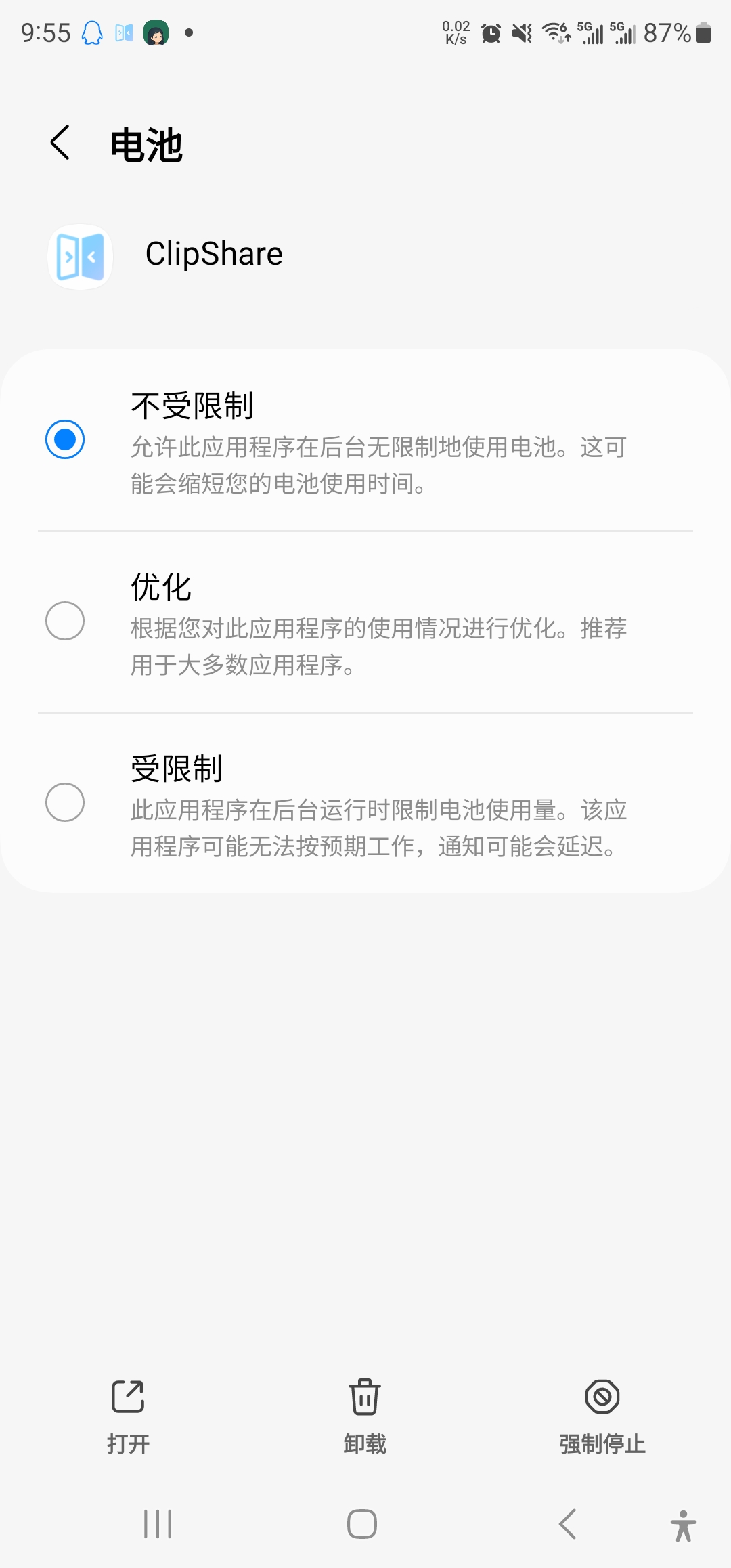
Battery Optimization
To make sure the app can keep running in the background, please disable battery optimization:
Tip
On first launch the app will guide you through battery optimization settings. If the guided method does not work, please try the steps below. Different systems may behave differently, so follow your actual device behavior.
- Open Settings on your device.
- Go to Battery > Battery optimization or Battery management.
- Find this app and set battery optimization to Do not optimize or Unrestricted.